Happy 2016 folks!
Just want to say hello to all of my wonderful readers! I hope you all had an amazing 2015 and I’m wishing you a fruitful 2016.
What am I up to?
Before I tell you what I’m currently doing, did you know that I almost quit Internet marketing for the second time? haha. The first time that I temporarily quit was when I was starting out back in June of 2009 (before I joined Wealthy Affiliate). The second time that I quit was when the Google animal updates began taking place and I was hit the most during the April 2012 update.
It was really hard as many of my online properties that are ranking on top of the the search results went down the drain. That was really discouraging and I can remember my panic back then. I was buying backlinks here and there hoping to regain back the rankings but ultimately the rankings on many of my sites never came back.
Anyway, I wrote a brief story of what happened after that hit on my WA blog.
Here’s what I’m doing or at least trying to do right now. I’m thinking of this as my new year’s resolution for 2016 because I believe I have never done anything like this before.
I have a website that I built back in August 2015 and I wrote over 10 articles (yep, only that amount of articles because I’m too lazy. haha). My plan is to rank the homepage for its keywords by building some backlinks from wherever I could get them.
But now my plans have changed. I’m still going to build backlinks but I’m also going to write one review article every single day (I’ll try not to work on weekends) until I reach 100 articles for that site.
That’s the plan: write 100 review articles for a single niche site. I’m just going to apply some brute force and see what happens when a site has 100 articles.
I’m not going to be writing just any article. Like I’ve said, the articles are all going to be review articles and each will target a product name. The plan is to have those article ranking in the first page without any backlinks (although I’m still going to build links to the homepage).
What about you? Have you written a hundred articles on a site before? What do you think of my plan? Hoping to hear your comments!
]]> If you’re reading this Rhino Correct review, then give yourself a pat on the back for exerting some extra effort in doing some research before buying this product.
I don’t remember how I stumbled upon this product. I must have seen this on my wife’s Facebook account but knowing how I found it is not important. What’s important is that I’ve found it and I believe that you are going to benefit from the article that I’ve written here.
From my first impressions about it, I don’t really like this product called Rhino Correct. This product actually works because the science behind it is already proven and there are countless of people who have been seeing visible results with it.
However, I’m not writing this Rhino Correct review to discuss if it’s effective or not. I’m writing this article because I believe that they are charging a very high price for it when there are other cheaper alternatives that are available on Amazon.com.
Nose shapers here
Sometimes there are products that I expose here on my blog simply because they’re taking advantage of the consumers by delivering the hype and charging a very expensive amount that doesn’t match its perceived value.
A few months ago I wrote and exposed a product called Valgomed. This is a product that supposedly helps with correcting bunions but unfortunately the quality is very low. On top of that, they are charging consumers with a very high price tag while there’s a significantly cheaper alternative that already has a good number of positive reviews.
Anyway, I’m afraid that Rhino Correct is just one of those products that are taking advantage of consumers.
What Is Rhino Correct?
 I won’t give any in-depth definition about it because it’s simply a clip that reshapes your nose. It’s used to help shape and lift your nose so you won’t have to undergo an expensive plastic surgery known as rhinoplasty.
Rhino Correct Review
Their modus is really simple, they will advertise on different websites about the amazing results that their product gives. Then their website is going to be nicely laid out with eye-popping graphics and they will implore manipulative tactics like having some questionable testimonials and fake authority figures like a doctor giving their recommendation about the Rhino Correct.
As soon as you enter their website, you are already in their control especially if you easily believe everything that you read. When you reach their order page, you will see that it’s going to cost you over Php 2,000.00 (around $43) for a single piece!
Do you honestly believe that that little piece of plastic is worth that amount?! I know the shipping fees are already included in this price but still I think this is still too much.
What’s a Cheaper and Better Alternative?
After Rhino Correct revealed its true colors, I quickly jumped over to Amazon.com and searched for a similar product.
Sure enough there were lots of nose reshapers that are already available. The good thing is that the price for all of the products will not even come close to $40! Additionally, they already have some consumer reviews which you can read so you can easily make a buying decision. Let’s take a look at some of them:
Dr. Rogo Natural Nose Clip
 Out of all the nose reshaping clips in Amazon.com, the Dr. Rogo Natural Nose Clip is the one that has the most positive consumer reviews.
You’re going to feel some level of discomfort especially when you use this for the first time. You also have to get used to in breathing through your mouth but you won’t notice it after a while.
You use this by wearing it on the part that you want to reshape for at approximately 15-30 minutes every single day. Some people started seeing visible results in a just a few days but it’s recommended that you wear it for at least a month or more.
There’s going to be some sticky stuff on the clip ends so it will have a good contact with your nose even if you have an oily skin. Many people have recommended the Dr. Rogo Natural Nose Clip because of its effectiveness, quality and durability.
Nose Up Lifting Shaping Plus Bridge Straightening Clip
 Here you have a 2-clip combo that basically does the same thing. The blue one will have a spring while the pink one doesn’t have any springs. You probably won’t have any luck in using the pink one because it’s going to be a painful experience. It’s really not recommended because you won’t be able to breathe properly and it will cause some headaches. If your nose doesn’t have the right proportions for the pink one, then you have a big problem.
The blue nose clip will be a lot more convenient to use as you can place it on any part of your nose that has the issue. The only thing that you have to look out for with the blue clip is that it tends to stick together.
What Do You Think?
Do you have any experience with Rhino Correct? Do you think its price is fair for consumers like yourself? It would be great if you could share your comments below this article.
]]> In this Internet Money Secrets review, I’m going to share my thoughts about this program so you can make an informed decision about it.
Right off the bat, I’m really bothered by the name of this program. Internet Money Secrets?
I’m not sure if the name is being intentionally called that way in order not to be easily researched by smart and diligent people like yourself. But if I’m going to have a product, I want to be proud of it and I want to give it a unique name, but that’s just me.
For me, Internet Money Secrets is just a cheesy name and it just brings up many red flags about this program.
The sales video of the Internet Money Secrets is only going to be a huge waste of time. It’s over 23 minutes long and not once in the video did Remy Reszka mention any details that you’re going to get with his program.
What’s the good news about it? With each program I review I’m always trying to find some positives but as of now I don’t see anything worthwhile about Internet Money Secrets.
I’ve started my online business back in 2009 and one of the important things I’ve learned is that there is no secret to being successful online. What you need is the right training and consistent action in order to pull it off. I can help you get started and I have my no.1 recommendation below this article.
Who Is Remy Reszka?
 Remy Reszka is the individual behind Internet Money Secrets and he claims that he’s making millions on the Internet. I did an online search on him but there is no significant information that I could find other than his video channel and some of his other marketing pages.
If I cannot find any history or any kind of background of an individual, I tend to be very cautious and I’m afraid this is the same case with Remy Reszka.
What Is Internet Money Secrets?
According to Remy, Internet Money Secrets is a deep insight into the real deal for money making on the Internet. He also adds that it’s not just another scam with “X” easy ways to make money on the Internet.
Remy also promises that he will show you the most efficient and most independent way for making a huge fortune on the Internet.
This Internet Money Secrets only started this June 2015 and the domain, theinternetmoneysecrets.com, is registered for only a year. I’d like to see a program that’s in it for the long haul and having a domain registered for only a year is a serious concern for me.
What Do I Recommend?
Like I’ve said before, I’ve been in the affiliate marketing business since 2009. I’m not yet earning thousands of dollars per month but this is a lot better than slaving at a day job for 40 or more hours per week.
If you think you’re ready to challenge yourself then learn how to build a solid online business from my no.1 recommended program.
Click Here for My No.1 Recommended Program
]]> In this Push Button Cash Machine review, I’m going to give you an insight on what this program is all about as I’m guessing that a lot of people will want to know more about this program because of its hype.
When I see a program that promotes push button earnings without telling you exactly what you need to do, I immediately have my guard up because most of the time it’s only going to give you a ton of false promises.
The thing that made me curious about Push Button Cash Machine is the account screenshot in their sales page. Even if I knew that screenshots can be easily faked, I still want to know the process involved on what it took to achieve those earnings in just a short amount of time.
I’ve been making money online since 2009, I’ve seen a lot of ways to generate an income using the power of the Internet but I always had success with affiliate marketing because for me it’s the simplest and most proven way. I can help you get started online but take note that I’m only interested in helping those who are not looking for some magic push button get rich quick schemes.
Who Created Push Button Cash Machine?
 Push Button Cash Machine was created by Joshua Mayers who is an Internet marketer, expert copywriter and a forex trader.
He is joined by his two other colleagues named Declan Mc and Venkata Ramana.
I Jumped Right In!
Like I’ve said earlier, I got curious and wanted to know the method behind it. Currently it’s just around $13 and so I decided to check it out and see if it’s something that I could use.
Of course I also want to review the program so you can decide whether this is right for you or not.
There will be a one time offer (OTO) when you buy the Push Button Cash Machine and it’s going to be an over the shoulder video training of the method which costs $27. I declined their upsell and got a downsell on the next page that offered a 30% discount at only $19 — I still didn’t take it.
What Is the Push Button Cash Machine?
Push Button Cash MachineThe Push Button Cash Machine is simply an action plan on how to use a website called Triple Threat Marketing (http://triplethr3at.net/) to earn profits.
How does it work?
You will have to register at their site and complete phase 1 by paying a $10 per month subscription.
After that you will need to make another deposit into your account so you can purchase their different advertising packs.
If you take a look at the how-it-works section in the TT3 website, you will see a chart that will show how you’re going to profit from their system.
The push button part of the method involves surfing websites and clicking a confirmation image for every site you visit. Apparently, the ad packs you bought are going to be inactive at a certain time and you must surf a specific amount of websites before they become active again and continue your earnings.
I only wrote a very basic overview of the method because in all honesty, I didn’t quite fully understand how everything works yet. I was confused on reading it for the first time because it all seems too complicated.
The good thing is that Joshua Mayers explains everything in the Push Button Cash Machine pdf. But you will probably have to read it a few more times in order to at least have a good grasp of how you can use and profit from TT3.
Pros
- The instructions are well-written and Joshua provides important tips on how to carefully proceed with the method.
Cons
- Everything about the Push Button Cash Machine is NOT geared towards building an online business as questions can be raised on TT3’s longevity and sustainability. If TT3 suddenly shuts down, then everything stops. If they decide to change the policies in their favor, then you’re screwed.
- Triple Threat’s domain name is only registered for a year (Aug 2015 – 2016) and that’s a serious concern for me because I’m not sure how long they’re planning to stay.
- Triple Threat has a weird domain name — http://triplethr3at.net/
- Hard to fully understand how everything works
- There’s a $10 monthly subscription and you still have to buy their advertising packs (although Josh said you only have to purchase the ad packs once).
- The Push Button Cash Machine download area will have more hyped up paid products which can lead you to more confusion if you’re always looking for the next shiny object.
What I Recommend
I’m not sure if I’m going to try this out but if you decide to give it a go, make sure you DO NOT go crazy with the funds you’re depositing!
But here’s the deal, if you want to succeed online then you need to build a website and provide a ton of value. These are the basic ingredients you need to thrive and it requires a lot of consistency and perseverance.
Take advantage of the free registration at my no.1 recommended online marketing training to learn the solid fundamentals of affiliate marketing. Click the link below to get started.
Click Here for My #1 Recommended Training
Did my Push Button Cash Machine review help you in any way? What are your thoughts about it? It would be nice if you could leave a comment or ask any questions if you have one.
]]> Give a pat on your back for reaching this Mockingbird review because as of this moment, you’re going to see a lot of affiliate websites that will shove this program into your face.
I’m not going to waste your time, the Mockingbird Method is only full of hype and false promises. Their sales video is around 30 minutes long and designed to not let you rewind or fast forward it.
Sorry if you got your hopes up with this so-called program but do you honestly think that you could make that amount of money in a short amount of time by using a magic trading software?
The only thing that’s good about this program is their presentation because it’s entertaining to watch. Their script is still just your average storyline where there is a trading software that will give you 90% winning trades, how they’re hiring beta testers for free to test out their software and all that crap.
I’ve been making a good living online since 2009 but I’m not doing any types of trading because it involves a huge commitment and a ton of risks.
What I do is much simpler but still involves a lot of work. If you want to learn more about it then check out my no.1 recommendation below this article.
Let’s talk about Daniel Marland
 In case you don’t know, Daniel Marland is the guy in the video who is supposedly earning thousands of dollars per week using the magic software called Mockingbird Method.
Daniel worked in a restaurant for 4 years doing a minimum of 60 hours per week and earning 18,000 pounds a year. But before that he actually owned a business that is doing really well until his brother messed it all up. Daniel’s business was ruined and that’s why he ended up working in a restaurant.
While working, Daniel ran into Kevin, his business consultant who revealed the truth about this brother, in the restaurant and they talked for a while about what happened.
Daniel and Kevin had a meeting and he found out that Kevin actually quit his job as a consultant and is now a binary options trader. According to Kevin, it only takes him a few minutes and a few clicks a day to use an easy software to make money.
Of course Daniel Marland took advantage of this wonderful opportunity and claims that he’s earning a ton of money from it.
They Have an Entertaining Script
Like I’ve said earlier, I did enjoy their little script but hopefully you’re smart enough to not believe the hype and their false promises.
I like how Daniel tries to ask people if they would like to try out their money-making software. I believe everyone you saw in the video are all actors and I must say that the 2 beta testers that Daniel convinced were really good.

It’s funny how Daniel says that everything that they’ll be doing are all live. But if you really think about it, there was nothing live about anything they’ve shown in the video.
Even when Daniel said, that he’s going to login into his account to show us his earnings. It’s not live. All they’re showing you are screenshots which can easily be faked.
I hope you can see how Daniel and the Mockingbird Method are trying to fool you into believing this nonsense.
What is the Mockingbird Method?
The Mockingbird Method is just a bogus platform where the ultimate goal is to get you to start and fund an account over at uTrader.
uTrader is a binary options broker that opened its doors in 2011. They are located in Mahe, Victoria, Seychelles and their customer service center is located in Latvia, Riga.
The minimum dollar amount to start trading with uTrader is $200. If you believe the hype and false promises of the Mockingbird Method then why don’t you see for yourself by putting $200 and check out if you’re going to earn a thousand dollars in just 7 minutes of using it.
My Recommendation
Binary options trading is legit but it involves a lot of risks and I don’t like the idea that you have to risk a few hundred dollars whether your speculation about the market is right or wrong.
Instead of trading, why don’t you try out affiliate marketing. You can learn more about it by registering a free account at my no.1 recommended site. Remember that you can reach out to me if you have any questions and I will gladly help you out.
Click Here for My No.1 Recommendation
]]>I stumbled upon the blog of Dale Rodgers by reading a review of get rich quick product. I think it was a well-written review and basically Dale did not recommend it because he’s promoting a different program.
Who Is Dale Rodgers?
 According to his about me page, Dale Rodgers is a 22-year old guy from the North East of England. He was working as an electrician but he didn’t like it.
He quit his job and started to venture into making money online. It seems he struck oil because in just 6 short months he managed to buy a Range Rover and pay for it in cash!
What Program Is Dale Rodgers Promoting?
Of course I was curious and interested on what program Dale is trying to promote. I read his about me page (which is basically his sales page) and followed the links inside.
It was then that I discovered that what he’s promoting is a program called iPas2. Now this is not the first time I’ve heard of iPas2. In fact, I’ve written my own iPas2 review here on my blog and let me tell you that you definitely should avoid that program.
 Basically, iPas2 is a program that’s connected to the Empower Network. If you join any of them, you’ll just be selling overpriced rehashed digital products.
People are joining this program just because of its affiliate program and not because it’s such an effective system. This is the only reason why Dale Rodgers is promoting it in the first place.
Dale Rodgers’ Misleading Statement
As I was reading his iPas2 sales page (his about me page) I noticed a statement that I think is just plain misleading and ridiculous.
He basically said that if you want to start out with making money online, building a website is not the place to start.
First off, I want to say that if someone tells you that you do not need a website to be successful online, then they’re only after you’re money!
I find the don’t-build-a-site statement funny because he’s actually doing it with his blog. Take note that it’s possible that Dale Rodgers can just generate traffic to his wonderful and revolutionary iPas2 by not building a site and by using other means. But just stating that building a website is not the place to start is just irresponsible and hypocritical.
Dale Rodgers Reviews Is Covered
If you Google search the term dale rodgers reviews, you will see that the top websites in the search results is going to be his blog. You’ll also see a warrior forum page but when you take a look at it, you will notice that Dale Rodgers is the one who created that post.
There’s also a site called stormtosuccess.com and guess who’s behind that program?
My No.1 Recommended Program
I always have my guard up when someone flashes you with their cars, mansions or whatever it is to get your greed glands up. I understand why many people like Dale Rodgers would resort to such tricks and it’s really up to you. Search for iPas2 reviews and look for legitimate reviews about that program and you can thank me later.
If you want to be successful online, you need to build a website and provide a ton of value by helping people.
This takes a lot of work.
If you don’t like work and would like to search for the next shiny object then look elsewhere. If you’re honest with yourself and ready to get your sleeves up and start working, then check out my no.1 recommendation below.
Click Here to Learn About My No.1 Recommendation
Do you have any experience with Dale Rodgers or his recommended iPas2 system? If you have any questions, please let me know by leaving a comment below.
]]> Glad you’re here to read this Binary Reserve System review because currently my article is the only one that’s going to make sense out of this whole hoopla.
I’m not going to beat around the bush and I will tell you that the Binary Reserve System is just full of hype and false promises. Consider yourself lucky because the sad truth is that many people will believe what this program peddles and buy into the hype.
But not you because you’re smart, right?
The only good thing about this website is the length of their sales video. Many websites similar to this will have long-winded hyped video that will run for 30 minutes. But the video pitch for the Binary Reserve System will only waste around 14 minutes of your time.
I started my online business back in 2009 and I’ve been doing it ever since. My business model is totally different but a lot of better that what the Binary Reserve System promotes. If you want a helping hand on how to get started, please let me know or you can simply sign up for my free Internet marketing course.
Shall We Begin?
The video starts off with a warning that their sales pitch video will make some people in the financial world very angry. Right off the bat, he wants to let you know that they’re on your side. But I’ve seen this tactic a lot and this is all just hype to make sure you’re glued to their site.
He even applies some scarcity manipulation by telling you that the video might not be around when you close the browser which is really funny actually because we all know they’re full of it.
Then he will reassure you that the opportunity they’re providing is not like the other get rich quick sites you see frequently. The magic voice inside the computer will again make you feel that he’s on your side. He’ll tell you that he’s also been a victim of other get rich quick sites.
In the next 5 minutes, I’m going to reveal the hidden money-making method used by the top 1%, the magic voice said with enthusiasm.
Nice pitch right? Again, they’re using hype to keep your attention. He will tell you that it this information won’t cost you any money but like I’ve said they’re just feeding you lies and misinformation.
He even flashes you with photos of a luxury sports car, some nice looking villa overlooking the beach and a speedboat? Haha! Here, the magic voice is just insulting your intelligence like he’s been doing since you first landed on the website of the Binary Reserve System.
Who Is Jay Ross?
It was soon revealed that the magic voice inside the computer has an identity all along and his name is Jay Ross.
Jay Ross was having a tough time and getting himself into a huge debt. He was having trouble paying his credit cards and he even used a loan shark.
His wife will be having a second kid and that’s why he needed some income to support his family. He tried out some multi-level marketing, which I don’t like btw, and some other online opportunities like affiliate marketing. Again, this statement is just designed to connect more with you.
Jay Ross then gladly tells you that you can turn everything around because he can show you how to make $1,000 per day right now! He then shows you a screenshot of a check that has some life changing profits.
First of all, if someone tells you that they can show you how to make a thousand per day right now, then run away. Second of all, do not believe everything you see online especially if they’re showing you some screenshots of checks and other income.
These are all clear signs of a product that uses hype and misleading statements so you’d take the offer they’re peddling. I’m not generalizing everything but most of the sites you see are just out to take your hard earned money.
Jay Ross will then introduce that the system that you’re going to be using is the Binary Reserve System. He goes on to tell you that this system is not like the other trading systems you see online because the Binary Reserve System only makes winning trades.
The concept is that you’ll only be trading one-third less than other trading bots so you’ll lose less trades and win more. In 100 trades, you are going to win 98 and that you only risk $25.
This statement is just ridiculous and very misleading because the world of binary trading is not as easy as it sounds. I don’t have any experience with binary trading but I do know that it involves a lot of risks.
Jay then introduces you to Jiro Hakomoto who is supposedly the engineer that’s behind the Binary Reserve System. But this is just a fictional character and you won’t find any legit information about this so-called engineer.
What About the People Who are Successfully Using It?
What successful people are you talking about? The testimonials on the sales video? Ummm… those are just fake testimonials from actors over at Fiverr.com. I didn’t find all of them but here are the first 2 actors you’ll see in the sales video.
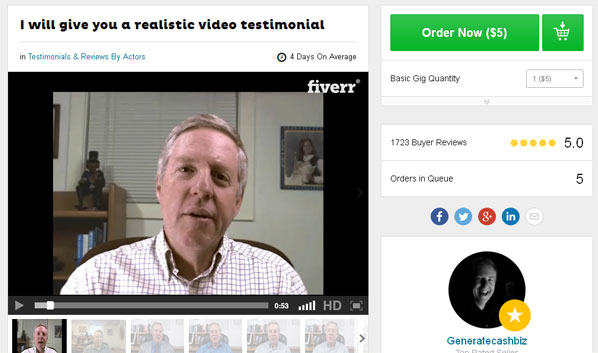
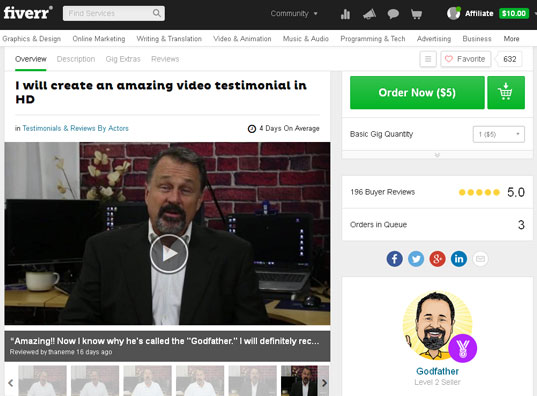
Another thing is when you search for the Binary System review at Google, you’re just going to see a lot of generic websites that will say that this system is legit.
Jay Ross will even show you his account with over a million dollars in it but you’ve guessed it, it’s an account with a fake dollar amount.
How Does the Binary Reserve System Work?
Beside the sales video will be a form that will collect your name and email. You’ll be taken to a page where they will add some B.S. and you have to fill another form again.
I filled out the form but my country was blocked but I’m sure that you’ll just be redirected to an online broker where you’ll be asked to make a minimum deposit of $250 to start trading.
Here’s my Recommendation
Here’s the thing, if you want to get rich quick and earn thousands of dollars per day, then join the Binary Reserve System.
Or you can try and follow what I do which is getting in front of people who are looking for answers to their problems. I’m talking about affiliate marketing and if you want to learn the right way to do it, then check out the free course in my no. 1 recommended training.
Click Here for My No.1 Training Ground for Affiliate Marketing
]]>I’ve seen a lot of guru-type products where they include a supposed live webinar into their programs but it’s nothing more than a pre-recorded, out-dated, hyped up, full of one time offer webinars.
For example, a typical 1-hour webinar from a different internet marketing program would consist of a 30-min content then the rest would only be time to persuade or manipulate you into buying their upsells.
In the Wealthy Affiliate webinars, there’s no selling that’s happening and all of it is just pure content.
The average running time for each webinar is over an hour; a full hour of the topic being discussed and then the rest is spent on questions and answers.
So if some IM course promises you a webinar, one thing that you can check if it’s really live is to check if you can ask any of your questions in real time.
For example, when I checked out the Google Sniper 3, there was a pitch of a hyped up product from George Brown and it’s all being revealed in a webinar. But when I did some research, I quickly found out that the product is just a spamming machine and the webinar is not really live. What’s even worse is that they try to trick people into thinking that it’s live.
It may look like I’m bashing other IM products but I’m really not. That’s just the nature of the make money online niche. The truth is that there are other legitimate online training programs available but majority of them are just out to target those who are completely new and create hyped up stuff and deliver only 20% of what they promise.
Don’t know for sure when WA offered live webinars but I believe they’ve been doing it for a few years now.
There are different topics being discussed in those webinars and one of my favorite is the webinar where Jay (magistudios) will look at other affiliate sites from a few members who submitted their application and provide some helpful advice on how to improve it.
I actually got my blog here reviewed by Jay and I asked him to look at my review of Wealthy Affiliate. He offered a lot of tips which embarrassingly I have yet to apply. Haha! Of course there were a lot of sites from other members and I’ve also learned a lot from them.
Most of the time, the schedule of the webinars is every Saturday morning here in the Philippines. Most of the time I try to wake up before 8am so I can attend it but it’s okay if you cannot make it because there is a replay for every webinar.
This is just a short post showing that I love the webinars of Wealthy Affiliate and it’s one of the reasons why I love staying and bringing new people over there.
If you would like to learn how to start an online business, then I would like to invite you to try out the starter membership over at Wealthy Affiliate.
Click Here to Read What You’re Missing Out On!
]]> In this Private Niche Empire review, we’re going to take if this product is going to be worthwhile in the long run.
This product is from Ellery Coleman and the website can be found at http://www.privatenicheempire.com/ and the price for their monthly membership is $97.
The promise behind the pitch is really enticing but I would suggest that you take the time to really learn the whole process of marketing online. It’s hardwork at first but you’ll be in a much better position in the long run.
I started affiliate marketing back in 2009 and have been full-time ever since. My biggest passion is helping people do the same so let me know if you need a hand, okay?
Who Is Ellery Coleman?
 In the Private Niche Empire website, you won’t actually see the last name of Ellery. I don’t know why Ellery didn’t include his last name but as a consumer, I would feel a lot more confident if there’s a real person with a full name behind a website.
There’s no really clear online presence for Ellery Coleman as there were a lot of results when I searched for his name.
There was one result from the Commodity Futures Trading Commission website about a case filed about Ellery Coleman of Granite Investments. Basically there was a complaint about Ellery Coleman because he falsely claimed that his day trading systems have generated a ton of money with little risk.
Now I’m not sure if this is the same Ellery Coleman who’s behind Private Niche Empire but if it is, then I guess this would be a good reason to not include his last name on the website, right?
What Is Private Niche Empire?
Command an empire of income generating sites! That’s the tagline of Private Niche Empire and I actually like it because it’s what I’ve been doing since 2009.
If you have 35 minutes to spare in a single week, then Ellery Coleman will show you a breakthrough way of increasing your online income.
I did not like this headline simply because it’s pure hype. Think about it, you’re only going to work for 7 minutes per day from Monday to Friday!
Why do you only need to work for 7 minutes a day? It’s because the Private Niche Empire will do all the work for you. All you have to do is upload the content rich sites that the system created for you.
Isn’t that nice? I bet a lot of people are joining this website simply because they know that they do not have to do any heavy lifting for themselves.
Are you one of the lazy ones?
I know you’re smart and you know that it takes hardwork and consistency to get what you really want in life.
What are you going to get?
You’re going to get 2 brand new niche websites and each month you’ll receive 22 unique articles. Every article will have between 500 and 800 words.
It’s noted in the site that you won’t be sharing the articles with thousands of other members but how are you going to be sure that this promise is going to be honored?
What’s confusing now is that Ellery promised that there’s a unique content for each member. So, does that mean that the website’s content is now going to be one is to one?
Does Not Use WordPress
The sites that you’ll receive in the Private Niche Empire are not going to use WordPress. Instead, the sites are coded using Ellery’s own proprietary PHP code.
Duplicate Content Issues
You can be penalized by Google for duplicate content issues when using this type of system.
You have no control of keywords
You’re being given articles every month but the keywords that the articles target is a big gamble. Having articles in your website doesn’t mean squat if you cannot rank those articles for their keywords.
In the site, Ellery gives a good example of a comprehensive keyword research. He actually does a good job of explaining what a good keyword to target looks like. But in his example, I believe, without even doing any research, that the keyword is still very competitive and that you need to do some linkbuilding if you ever want to rank your articles in the first page.
In other words, being a member and getting resources from Private Niche Empire is not a complete set it and forget system.
Is This Still Effective Today?
It seems that this program was first released back in 2009 and I’m not sure if the content in this program is up to date. Also one thing that could make this system work is if the articles will focus on targeting long tail keywords. But still the issue of having the same content even on 2 websites is very concerning for me.
My Recommendation
I suggest that you save your $97 and invest it by ordering your own articles. Learn the proper Internet marketing strategies so you can do your own keyword research and order the right topics for your articles.
Read my #1 Recommendation for Learning Internet Marketing
What do you think?
Do you have any experience with Private Niche Empire? Please share your comments and feedback below so we could have a good discussion.
]]> Glad you’re here because the 100M Dollar Club is another one of your binary options trading scam. Here are some of its other related websites, 100mdollarclubsystem.co, 100milliondollarclub.com and 100mdollarclub.co.
Their sales video is over 25 minutes long and you cannot pause and skip through the sections. What you’re going to watch is a just a bunch of stories and claims that are designed to fool people into giving away their hard earned money.
Let’s Review the 100M Dollar Club
In August 2015, Jonathan Steadman’s life changed in a way he never expected it.
What was this life-changing moment?
He actually became a millionaire! Now take note that he’s not just an ordinary millionaire. He became a cash millionaire as he joined an elite group of millionaires.
Then he proceeds to congratulate you because you’re watching his sales video that will be only shown to a maximum of 36 people. He goes on to tell that his money is not tied up to properties and shares. His money is all liquid, meaning that he can spend whatever amount he wants and whenever he wants.
Nice right?
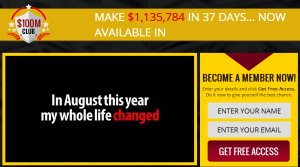 Then Jonathan assures you that you can also do the same after watching this video. Are you getting excited?
He then talks about having the freedom to do everything that he wants. He shows some really cool photos of luxury cars, tourist destinations, mansions and all that jazz. He will even show you a photo of a private jet.
Jonathan understands your situation because he was also in debt. But after he joined the 100M Dollar Club everything changed and now he’s earning a boatload of money.
And get this, he started earning thousands of dollars after joining the club in just a few weeks! To be accurate, he actually earned over a million dollars in less than 6 weeks according to his sales video.
Who is Jonathan Steadman?
For 17 years, Jonathan worked as a high school janitor at Jefferson High School. Before that gig, he was said that he was serving in the army.
In July 2015, he was looking at his Facebook feed for some pictures when he saw an old friend named Martin who he served in the army with. Martin was never rich, said Jonathan. In fact, Martin was actually complaining how poor he was the whole time during their army gig.
But Jonathan noticed that Martin’s photos were very different as he was posing in a brand new Range Rover with a Rolex watch and in front of a new mansion in which he bought for cash.
Of course Jonathan asked Martin on what is the secret. Martin replied and said that he is a member of the $100M Dollar Club and earning around $30,000 every single day on autopilot.
Martin then told Jonathan that he was trading binary options and that his $100M Club application is doing the trades for him.
I don’t know much a lot about binary options to be honest with you.
Before learning about affiliate marketing, I actually started with forex trading but I didn’t push through with it as it involved a lot of money and the risks are really high.
I think forex trading has some similarities with binary options trading but basically in binary options, you will have to determine if the stock price will go up or down by the end of a time period, based on the price at the start of the time period.
This is a high risk system because the price fluctuations happen very quickly. If your guess is wrong even with just a 0.01 difference, then you lose your money.
What’s the $100M Dollar Club?
Jonathan said that the $100M Dollar Club is an elite club with only a maximum limit of 100 members and every member earns a minimum of $1,000,000 within their first 45 days. He said that it’s guaranteed!
Here’s the club’s history. In 2008, Michael Madsen and Patrick Tate were released from Goldman Sachs investment bank after 15 years because of the economic crash. But in 2011, they created an enormous amount of wealth that’s worth $250M. So in 2012, they decide to give ordinary people a chance to earn that type of cash.
They have partnered with a former Apple programmer named Alexander Lavrov and they’ve created an app called the $100M Club app.
How Does It Work?
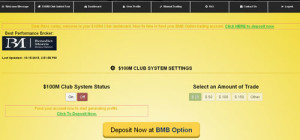 When you give away your email address, you’ll be taken to your account page.
It’s true that the registration is free for this so-called club but you actually need to fund your account with $250 so you can start trading.
The broker that you’ll be using is the Benedict Morris Binary Option (BMB Option). This is just a new broker of binary options that opened in June 2015 and their minimum deposit is $250.
My Recommendation
I hope you enjoyed the entertaining story of Jonathan Steadman and his $100M Dollar Club. If you want to earn thousands of dollars and be a millionaire in a short time, then you’re welcome to join them.
However, if you’re really serious on building a profitable online business, then the next logical thing to do is read my #1 website for building an online business.
]]>